
Practical guides
Why Pokémon Card Apps Show Different Prices
Learn how card identity, variants, condition, price sources and update dates affect price comparisons—and what to check before trusting a collection total.
Pokémon card apps can show different prices because the entries may describe different cards, variants or conditions, or use different sources, metrics and update dates. Before choosing a figure to rely on, check whether the prices answer the same question.
Start by matching the exact card
A matching Pokémon name is not enough. For a Charizard from Base, confirm the set and collector number before comparing its price with another Charizard entry. Then match the card language, variant and condition or grade.
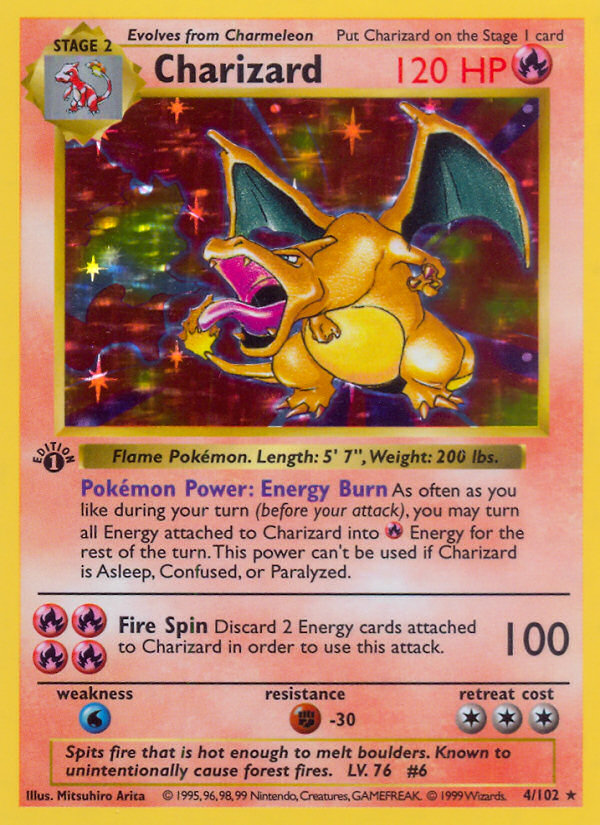
Finish matters to the comparison too. Reverse Holo, Poké Ball Holo and Master Ball Holo are distinct variants where available; do not treat their prices as interchangeable. For graded cards, match both the grading company and the grade.
Check what the price represents
TCGplayer states that its Market Price uses actual recent sales across multiple transactions. A seller’s current asking price answers a different question: what that seller wants to receive. Those figures can differ without either being an error. TCGplayer’s methodology should not be assumed to describe every other price metric.
Acorn TCG shows reference prices for cards and their available variants, with separate TCGplayer and Cardmarket price panels and graded-price options. Availability varies by card, variant and grading option. A reference price is not a guaranteed purchase offer, sale price or profit.
Timing also belongs in the comparison. Acorn checks for card-data updates when it becomes active and shows when data was last updated on that device. A successful check may find no newer data; it does not mean every card has received a new price.
A checklist for comparing prices
Use this checklist when figures disagree. It is a suggested comparison method, rather than a list of controls available in every app.
- Match the card name, set and collector number.
- Confirm the card language and exact variant.
- Match the condition, or the grading company and grade.
- Identify the price source and metric, especially whether you are comparing an asking price with a recent-sales-based figure.
- Check that the currency matches.
- Compare observation dates and any available data-update information.
Once those details match, the comparison is more useful. If a source or metric is unclear, keep that uncertainty attached to the figure rather than treating it as an exact amount you could receive.
Collection totals can include your own values
A collection total may differ for another reason: collector-entered prices. In Acorn, a Manual Price overrides the reference price for that owned variant when its collected value is calculated. Reset price removes the override and returns to the available reference price. If a total surprises you, check for those overrides before attributing the difference to a market move.
The card data used in this guide comes from the Acorn TCG catalogue.