
Collecting
Pokémon Cards by Asako Ito: Three Prints to Start a Collection
Start an Asako Ito collection with selected English printings of Pikachu, Poliwag and Wigglytuff, then explore her card catalogue in Acorn TCG.
Start an Asako Ito Pokémon card collection with Pikachu from 30th Celebration, Poliwag from Sun & Moon and Wigglytuff from Fusion Strike. These English printings all carry Asako Ito’s printed illustrator credit. They offer a manageable starting selection across different Pokémon and sets, rather than a complete checklist of her cards.
Three printings to build around
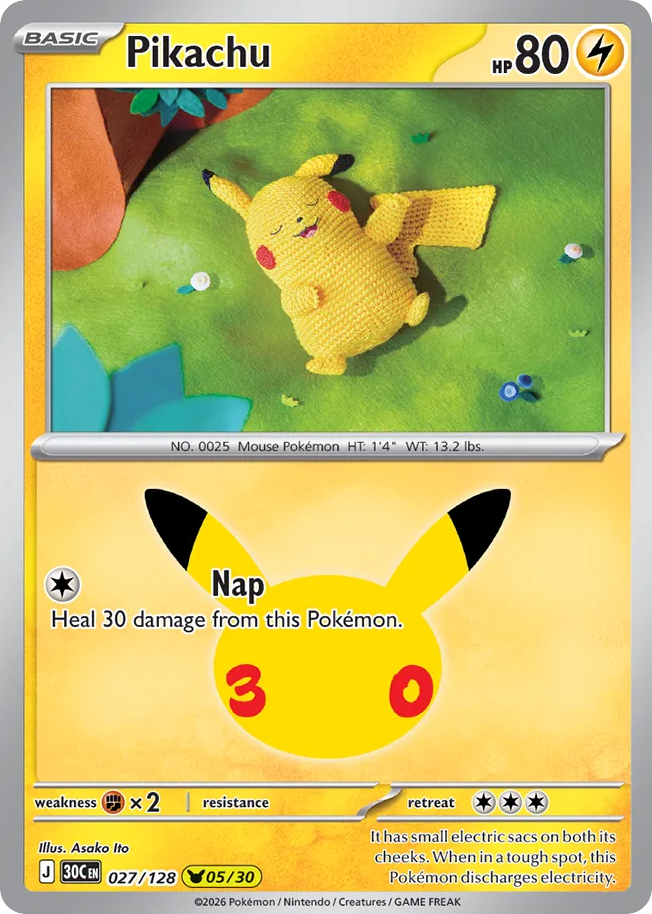
Pikachu — 30th Celebration, 027/128 (English) gives you a specific first target. Record the set, collector number and language alongside the Asako Ito credit so you know which printing you want. Another Pikachu card needs its own illustrator-credit check before joining this artist collection.
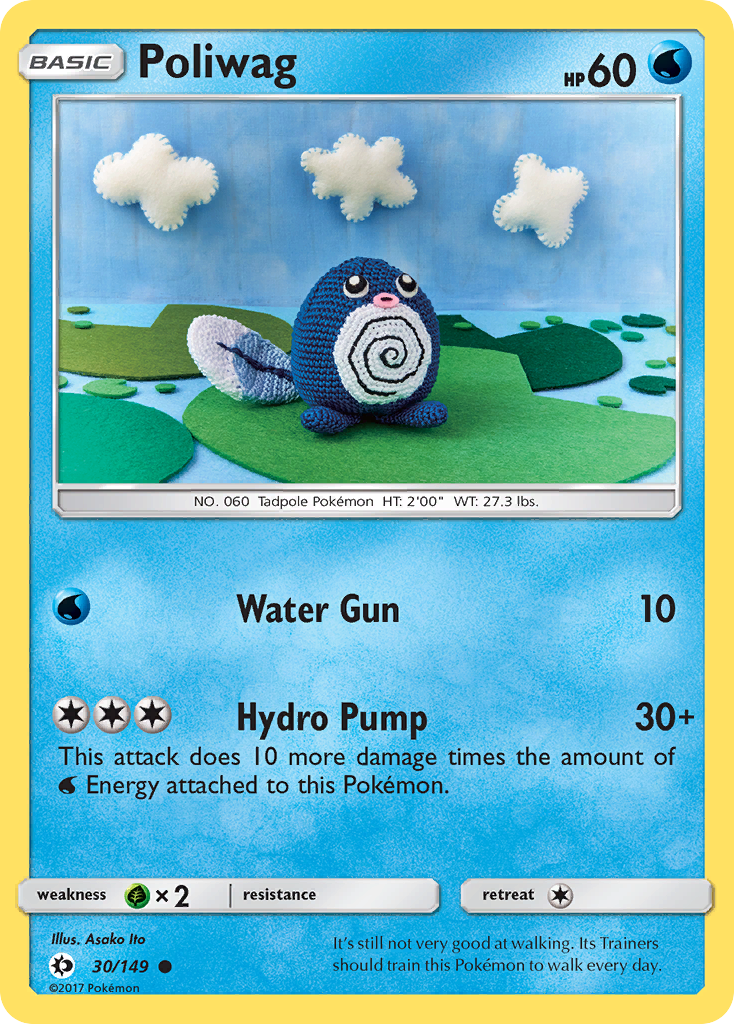
Poliwag — Sun & Moon, 30/149 (English) adds a different Pokémon and set with the same credited illustrator. Comparing it with Pikachu helps you choose a direction: follow Asako Ito across different subjects, or focus on her cards featuring Pokémon you already enjoy collecting.
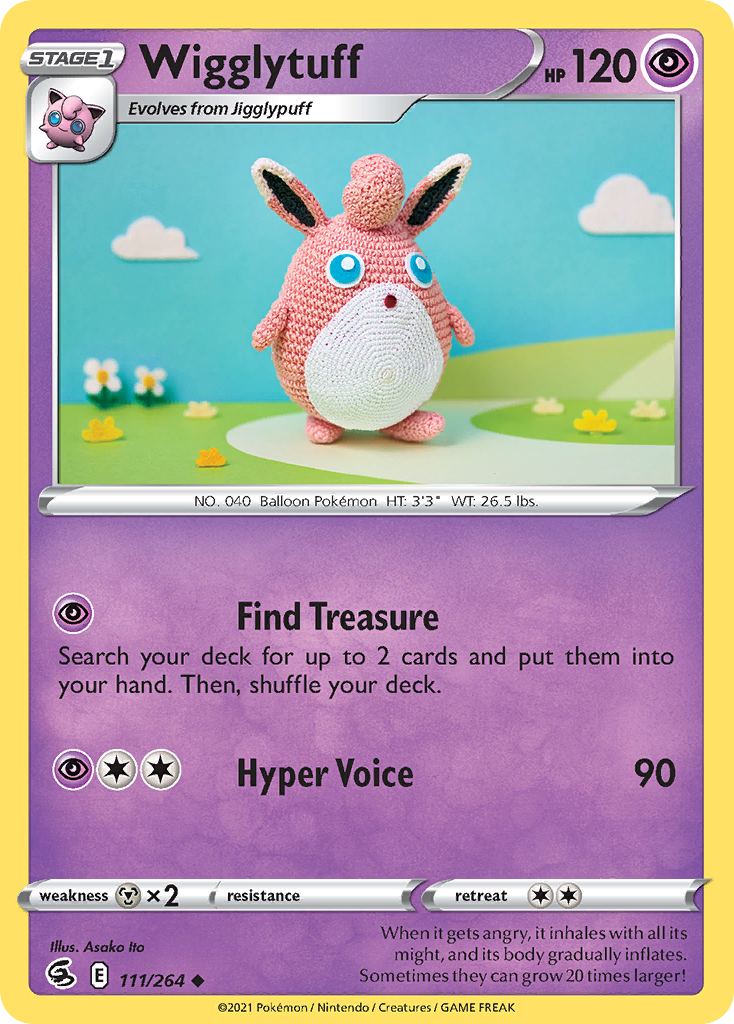
Wigglytuff — Fusion Strike, 111/264 (English) brings a third set into the selection, again with a printed Asako Ito credit. Including all three gives your project a useful organizing rule: the illustrator connects the cards while the Pokémon and set can vary.
Define your scope before adding more
For this starter project, you could focus on the exact English printings above. Keep a short checklist when considering additions:
- Match the Pokémon, set, collector number and card language.
- Check the printed illustrator credit.
- Decide whether to follow the artist across all subjects or collect only your favourite Pokémon.
- Treat another language or finish as an expansion of your chosen scope.
Explore Asako Ito’s catalogue in Acorn TCG
Acorn TCG has a dedicated Asako Ito card catalogue, accessible from Artists in A-Dex or the artist credit on a card. Its grid brings related cards together across sets, with text search and a Filter control to help narrow your search. Use it to find possible additions beyond these selected examples, then open a card to inspect the exact printing.
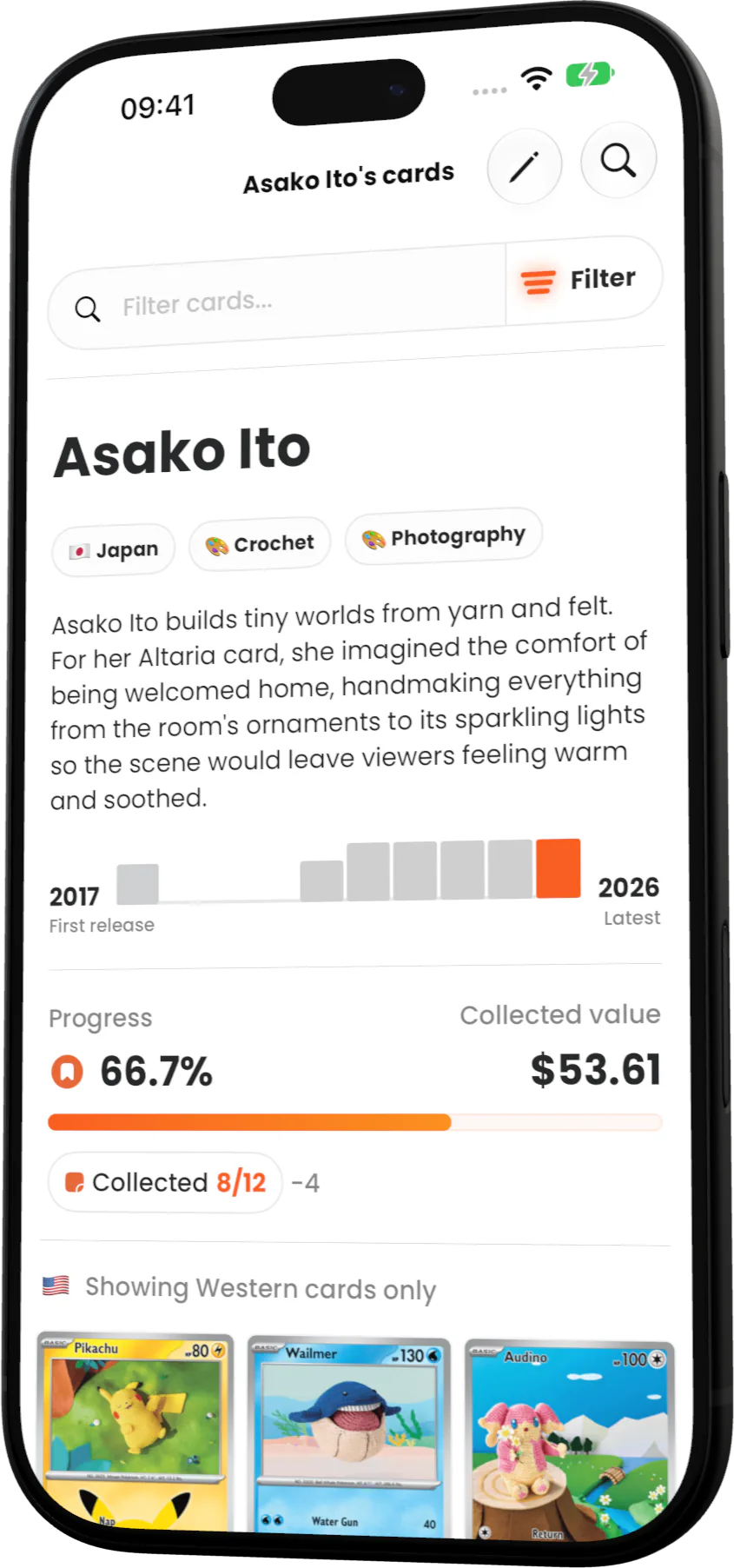
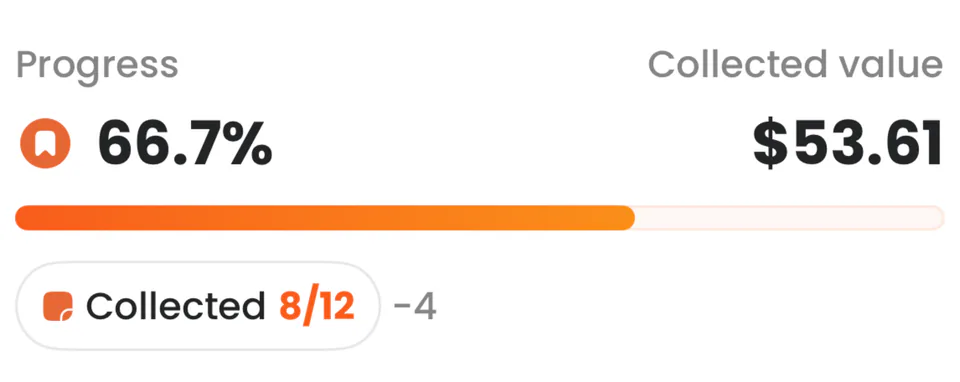
The catalogue also shows collection progress, with collected and remaining card counts beside the progress bar. The close-up below makes those counts easier to read and helps you choose what to look for next. Opening a card and recording that you own it are separate actions.
For a smaller project, you can create and name a custom collection around your chosen printings. A name such as “Asako Ito” keeps it recognizable; your own collecting rule determines which cards belong.
The card data used in this guide comes from the Acorn TCG catalogue.